Reflex
A digital read-out and electronic leadscrew for manual lathes: an STM32 motion controller and a Kivy touchscreen, talking RS-485 Modbus RTU.
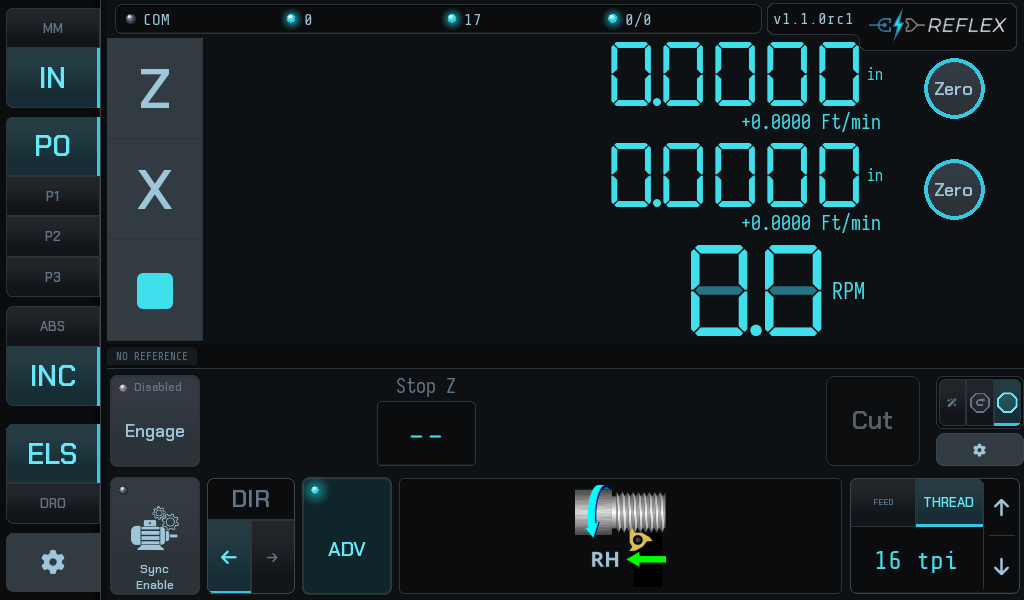
The firmware owns everything real-time — encoders, step generation, the stop. The UI owns operator workflow, configuration and display.
This drives a machine tool
Reflex can start the carriage moving under power. A refusal is the controller declining to cut something it cannot verify, not a fault to work around — see When it refuses.
Threading is the point
Reflex will power-feed and stop for plain turning, and all three stop modes do that perfectly well. But threading is where it earns its keep — holding thread phase across passes is the hard problem, and it is why almost everything below is written about threading.
If you only ever feed to a shoulder, most of this guide is optional: read The screen and Feeding to a shoulder and you are done.
The one idea to read first
Reflex will not start a pass it cannot verify.
Before every pass the controller drives the leadscrew through its backlash and watches the Z scale to confirm the carriage actually moved. If it did not — an open half nut, a slipping coupling, a dead scale — the pass does not start.
That check is the point of the machine, not an obstacle in front of it. Earlier designs had no way to know, so they proceeded and cut the next pass in the wrong place.
What it does
Underneath everything: a plain ELS
Spindle-synchronised feed is its own layer, independent of everything that follows. Pick a pitch, enable sync, disengage the stop, and Reflex is a traditional electronic leadscrew — cut with the half nut and your own eyes. Collapse the advanced bar with ADV and the screen is a DRO with a leadscrew behind it.
The electronic stop is what the rest of this guide is about. It is the point of the project, and it is not mandatory.
Three stop modes
How much of the job the controller takes over once a stop is armed. They cut the same thread — what changes is how much you set up first and how much you do by hand between passes. Cycle between them with the tri-state tab at the right of the advanced bar.
-
Stop-only
One field: Stop Z. Feed or thread up to a shoulder and stop, hands off. Everything else is yours, exactly as on a manual lathe with a carriage stop.
The least to get wrong, and what the author runs.
-
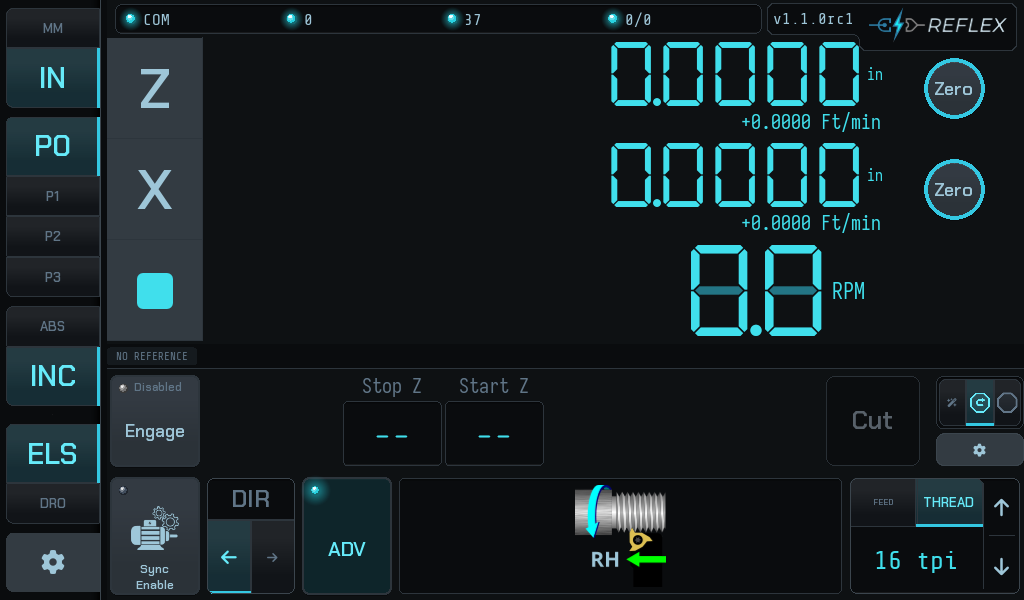
Stop + retract
Adds Start Z and a Retract action: command the carriage back to the start under power instead of winding it.
Nothing moves on its own, and you must get the tool clear in X first — this mode has no gate to stop you.
-
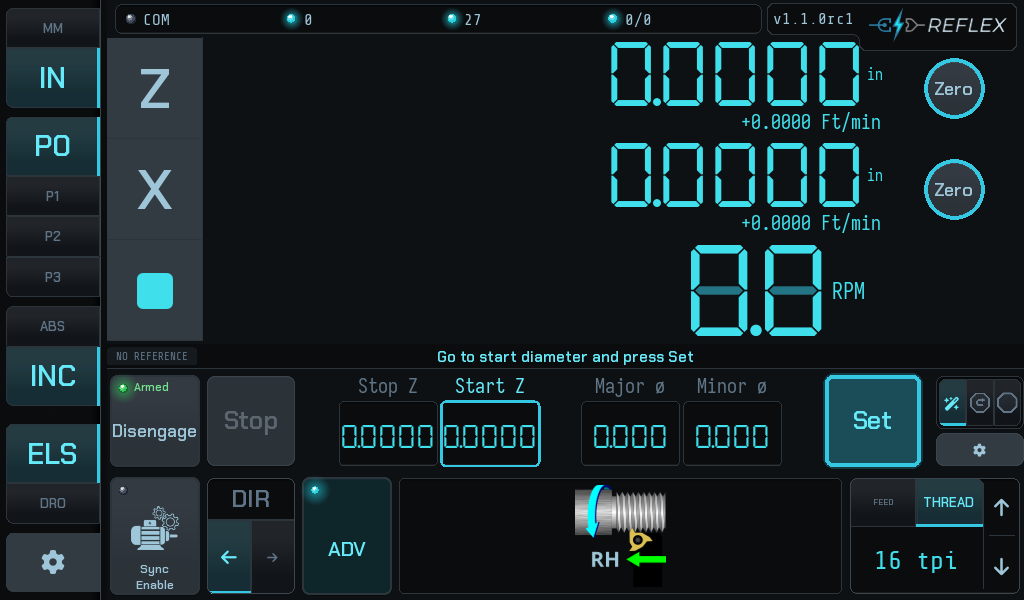
Wizard
Guided setup. Drive to each position and press Set; the bar tells you what it wants next, and nothing is captured until you press it.
Useful for a part you have not cut before.
Phase re-sync is not one of the modes — it is under all of them
Stopping decouples sync: the firmware pauses it while the stop is active, so after every pass the leadscrew is no longer phase-locked to the spindle, whether or not you moved the carriage afterwards.
So the controller re-derives thread phase from the Z scale after every pass, in every mode. That is what lets you open the half nut. If anything it matters most in stop-only, where the carriage comes back entirely by hand.
Two advanced features
Neither is needed for ordinary threading, and neither has any meaning outside it — both need a thread pitch, and the controller refuses them in feed mode rather than pretending. They exist for jobs the basic cycle cannot express.
-
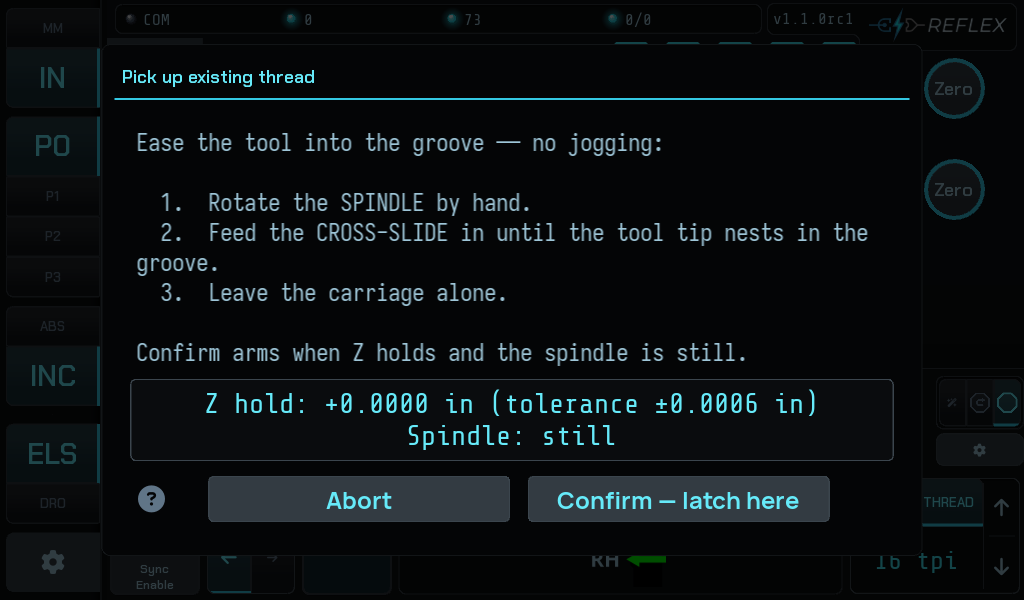
Pick up an existing thread
Re-establish the thread datum on work this job did not cut: a re-chucked part, a thread cut elsewhere, a damaged thread being chased. You show the controller where the helix is and it latches a reference at that instant.
A manual procedure — distinct from the automatic per-pass re-sync above.
-
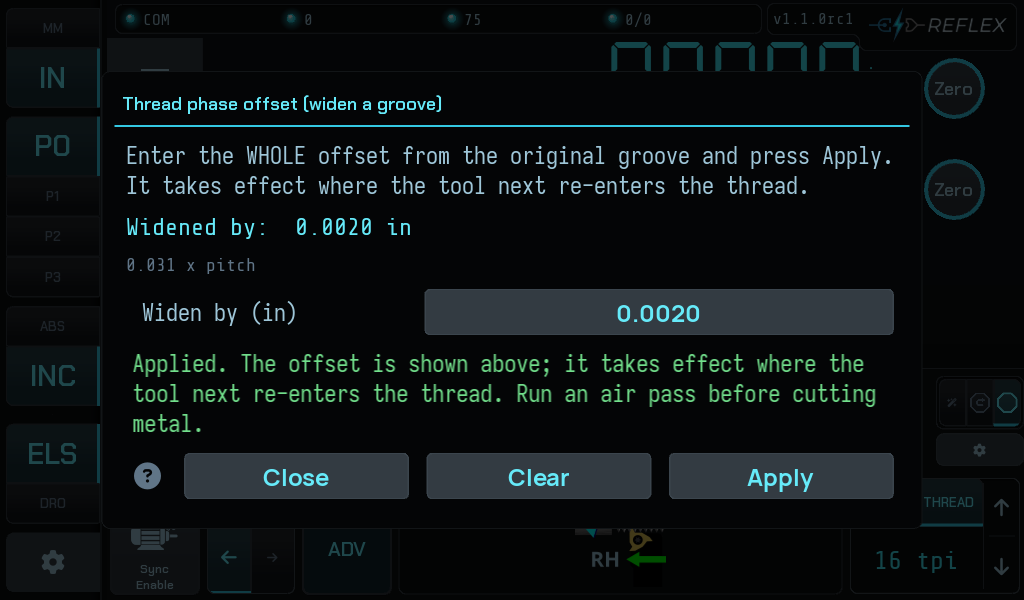
Thread phase offset — widen a groove
Cut a thread groove wider than the tool that cuts it: cut, step the phase along by a fraction of a turn, cut again, and the tool takes the side off the same groove. Repeat until it is as wide as you want.
Not a multi-start mechanism — the page says why.
What this version does not do yet
Reflex is under active development and the list below is a plan, not a promise of dates. The version table in the README is the living record — rows move from planned to released as tags are cut.
| Not yet | Coming in | What you do instead today |
|---|---|---|
| Auto-start — begin the pass when the half nut closes | 1.2.0 | Close the half nut, then press Cut. |
| Auto-advance / virtual compound — next depth of cut by advancing thread phase from X depth | 1.3.0 | Feed in with the compound slide between passes, as on any manual lathe. |
| Multi-start threading | 2.0.0 | Nothing safe. The phase offset is not a substitute — see Widening a groove. |
Where to start
| If you are… | Go to |
|---|---|
| new to the screen | The screen — every region named |
| choosing how to work | The three stop modes |
| power feeding to a shoulder | Feeding to a shoulder |
| cutting a thread | Cutting a thread |
| setting up a new machine | Setup — axes, scales, servo, backlash |
| looking at a message | When it refuses |
| after the meaning of one field | Reference — the in-app help index |
About the screenshots
Every image in this guide is generated, headlessly, at the machine's real 1024×600, by the real widget tree — not photographed and not mocked up. Every sentence on screen comes out of the same code that draws it on the lathe.
The catalogue of messages is generated too: it is read from the app's own message tables, so a reworded refusal fails the docs build rather than quietly leaving this guide wrong.
They do not regenerate themselves
Nothing in CI rebuilds the images. Run
scripts/capture_readme_screenshots.py and the harnesses under previews/
after a change that alters the home screen, and commit what they write.