Widening a groove
Cutting a thread groove wider than the tool that cuts it.
Cut the groove with the cutter you have, tell the controller to advance the thread phase by a small step-over, and cut again — the tool re-enters the same groove a fraction further along and takes the side off it. Repeat until the groove is as wide as you want. The workpiece is never re-indexed and the thread datum is never re-established.
Open it from the gear on the advanced ELS bar — it is the second of the two rows at the bottom of the ELS settings, beside Pick up an existing thread.
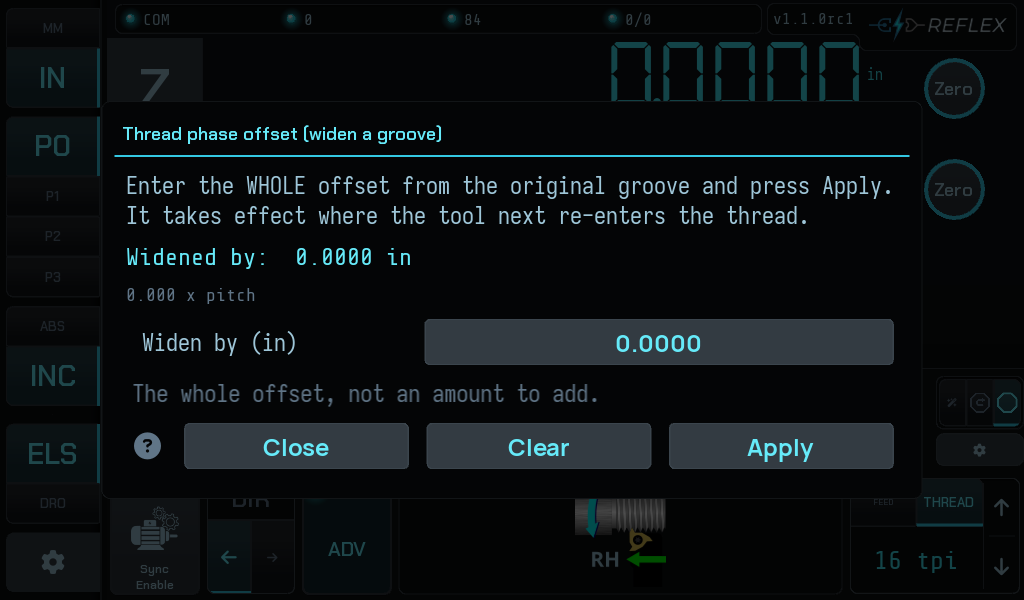
What it does
The controller carries a thread-phase offset: a distance, expressed along the thread, that shifts where the tool enters the helix. Set 0.002 in and the next pass cuts 0.002 in along from the original groove, widening it by that much.
Every step-over goes the same way — you open one side of the groove and keep going — so the running total on screen is the widening: the distance the groove has actually grown past the width of your cutter, which you can measure on the part.
How big a step to take is your decision, not the machine's. It depends on the width of the cutter in the toolpost, which nothing in this controller knows. That is why there are no preset amounts on the screen.
It takes effect where the tool next re-enters the thread — not immediately, and not mid-pass. Applying an offset moves nothing, so it is safe at any point in a job, mid-pass included.
Threading only
Turning has no thread phase to shift, so the controller refuses an offset in feed mode: "No thread pitch is set — turning has no thread phase to shift. Choose a threading mode and a pitch first."
The entry field is absolute
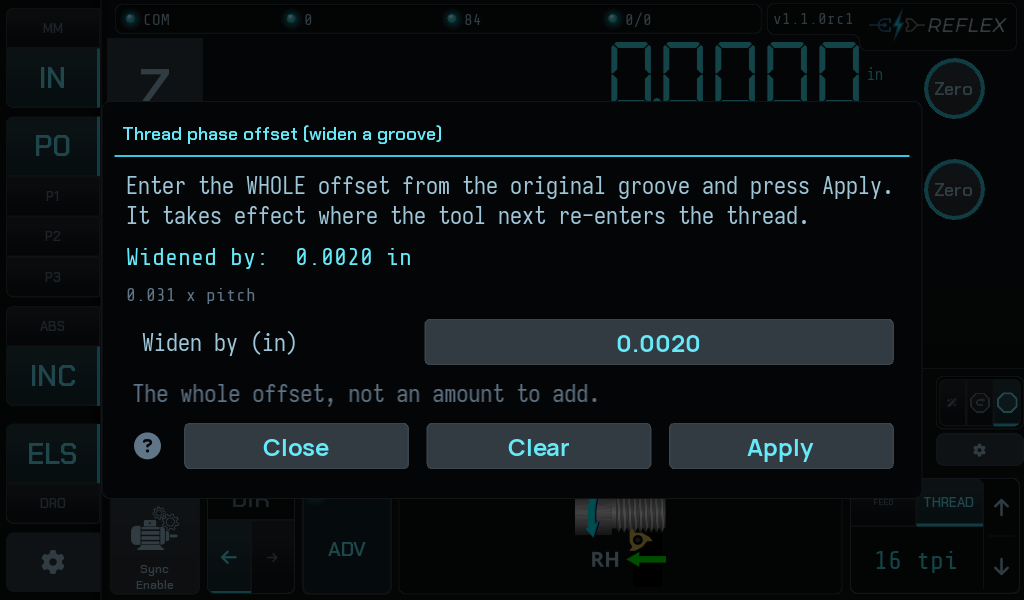
This is the part that catches people. The field is the whole offset from the
original groove, not an amount to add. Type 0.10 after applying 0.05 and
the total becomes 0.10, not 0.15.
The modal says so on screen, and the running total is displayed above the entry so you can always see what the controller is actually holding.
Applying
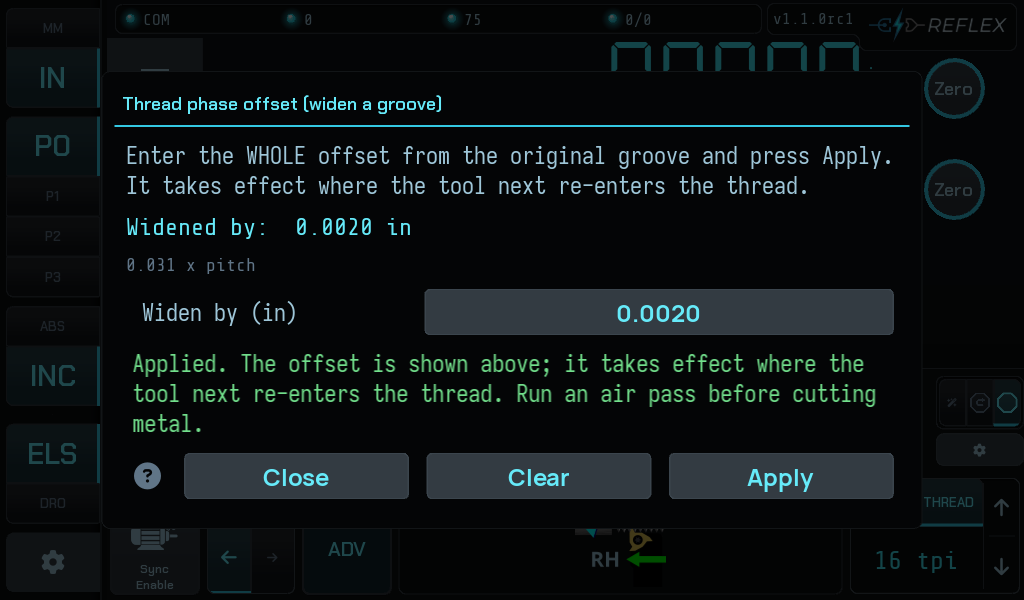
Press Apply. The total updates, the gutter's right-hand chip appears with the distance and its share of one pitch, and the screen repeats the advice that matters:
Run an air pass before cutting metal.
The bound
An offset of a full pitch or more lands back in the groove you started at, so it is refused:
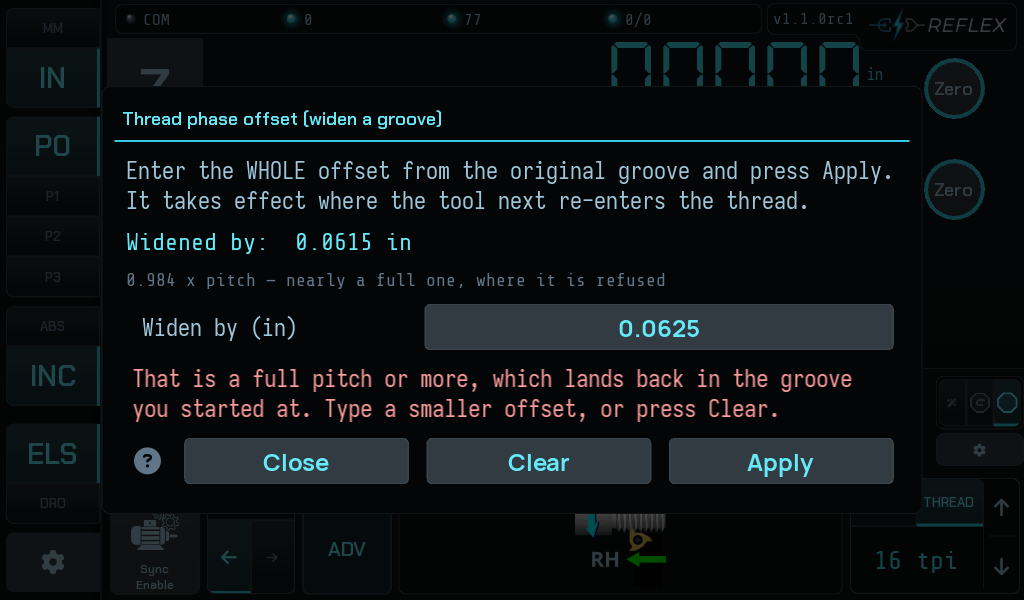
Below a full pitch, the share is shown as a plain decimal — 0.333 x pitch —
and the line only warns you about the bound once you are within 0.75 of it.
Two other refusals you can meet here, both catalogued in When it refuses:
-
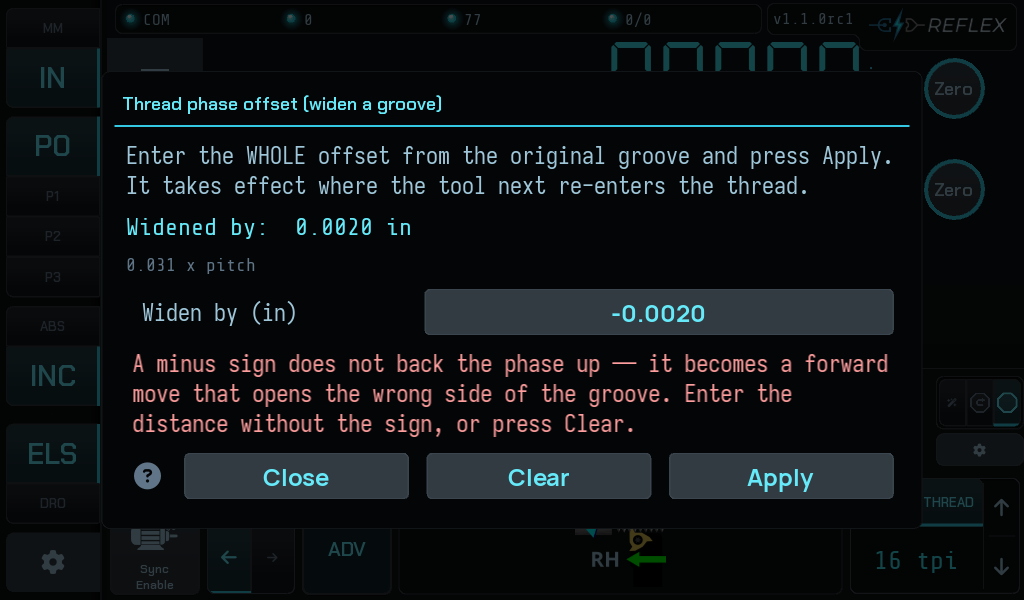
A minus sign does not back the phase up. It becomes a forward move that opens the wrong side of the groove.
-
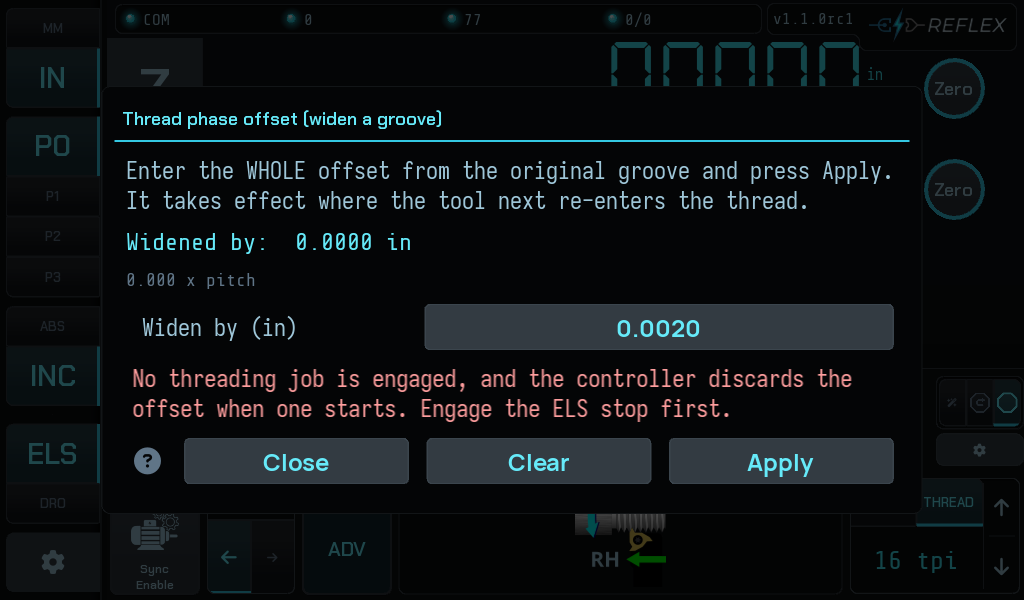
No threading job engaged. The controller discards the offset when one starts, so it declines to hold one that would evaporate.
What it is not for
This is not a multi-start mechanism. The correction that lets a single datum survive arbitrary carriage travel folds the phase error within one pitch and biases it into the cutting direction so it never unloads the backlash take-up. That behaviour is exactly wrong for indexing a second start, which needs a datum per start rather than an offset from one.
Dialling in 1/2 or 1/3 of a pitch will appear to work and will not cut a correct two- or three-start thread. A proper multi-start feature is a separate piece of work.
The offset does not survive a new job
Disengaging and re-engaging the ELS stop starts a new job, and the controller clears the phase offset along with the thread reference. The gutter chips both go, so you can see it has happened — but nothing warns you beforehand except the messages that name the cost.